Google Business Profile Suspended? How to Get Reinstated

Google Business Profile Suspended? How to Get Reinstated
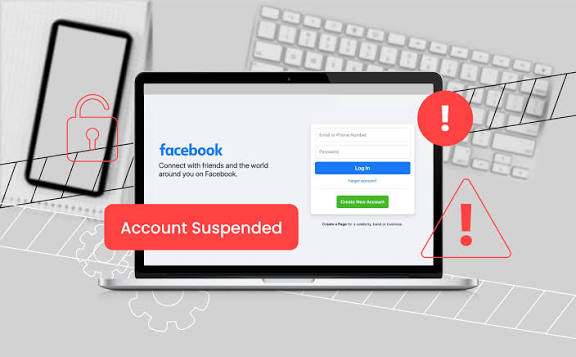
The calls stop first. A sparky in Marrickville notices Tuesday is quiet, Wednesday is quieter and by Thursday he searches his own business name on his phone and finds nothing on Maps. Having a Google Business Profile suspended does not come with a warning shot. The listing vanishes, the click-to-call button goes with it and the enquiries that had been arriving all week simply stop. Most owners react by editing fields at random or spinning up a second listing. Both make it worse.
Why is your Google Business Profile suspended?
Because something on the profile breaks a published policy. Google's Business Profile Help documentation states that profiles which don't follow its guidelines may be suspended or disabled, and that the way back is an appeal. Treat this as a compliance decision with a specific cause sitting behind it, not a technical fault that clears on its own.
There is a useful detail inside Google's documented appeal process: when you open the appeals tool it displays the restricted profile, the reason for the moderation action and a link to the policy that was violated. You are not meant to guess. Read that policy link before you touch a single field, because it tells you what the fix has to be.
Suspensions also arrive in two forms. Sometimes the profile alone is actioned. Other times the Google Account itself is restricted, which according to the same documentation suspends every profile that account manages and blocks you from creating or claiming new ones. That second kind needs the account restriction lifted first, through the restrictions page on your Google Account, before any profile appeal will get anywhere.
Which guideline did you actually trip?
Four causes account for most suspensions among Australian service businesses, and the business name is the usual culprit. Google's rules require the name to match the real-world name used on your signage, website and stationery, with no taglines, no service descriptions, no suburbs bolted on and no phone numbers. "Northside Plumbing Sydney 24/7 Emergency" is a suspension waiting to happen, even if it has sat there quietly for three years.
The second cause is the address. Google states that a business renting a physical postal address it doesn't operate from, a virtual office, isn't eligible for a profile at all. PO boxes are out. A desk in a co-working space only qualifies if the office has clear signage, is staffed during your stated hours by your own people and receives customers there. If you run a service-area business from a house in the suburbs, Google's guidance is to clear the address from the profile rather than display it.
Third, duplicates. Google's rule is one profile per location, and that second listing someone created years ago to test something is a live risk to the one you rely on.
Fourth, the phone number. Google requires the number to be under the direct control of the business and to connect to that individual location, and it specifically disallows numbers that redirect or refer callers somewhere else. Call tracking set up carelessly puts trades and clinics in exactly that position.
Fix the profile first, then appeal
Appealing a listing that still breaks the rule is how businesses collect three rejections in a fortnight. Do the corrections first. Rename to the trading name exactly as it appears on the van, the invoices and the shopfront. Hide the address if you travel to customers. Delete the duplicate. Point the phone field at a number you own and answer yourself. Then re-read Google's guidance on representing your business and check your categories, because categories used as keywords quietly contribute to a lot of these cases.
Next, assemble the paperwork, and this is where Australian businesses have an advantage. Google's help documentation lists official business registration, a business licence, tax certificates and utility bills for the business (electricity, phone, water or internet) as evidence that can strengthen an appeal. It also says to check that the business name and address on those documents match the profile you're appealing. Your ABN registration from the Australian Business Register, your trade or practitioner licence, an ATO notice and a recent electricity bill at the trading address cover that list neatly. If the bill reads "J. Smith" and the profile reads "Smith & Sons Electrical", sort out the mismatch before you upload anything.
Winning appeals are boring ones: a single violation identified, corrected and evidenced with documents that match to the letter. When we rebuild suspended listings for Sydney trades and clinics at Searchline, that pattern holds almost every time. If you would rather avoid the whole exercise, our Sydney listing checklist covers the same fields before they become a problem.
How do you appeal a Google Business Profile suspension?
Google's documentation sets out a short sequence, and the whole thing takes about ten minutes once your evidence is sitting on the desktop.
Open the Google Business Profile appeals tool while signed in to the Google Account attached to the profile.
Confirm that account, or switch to the correct one.
Select the profile you're appealing and continue.
Read the stated reason for the moderation action and the policy Google has linked.
Select Submit Appeal, then Submit.
If prompted, select Add evidence and upload your documents. Google warns that once the evidence form is open you have 60 minutes to submit it or it won't be attached to the appeal.
Two things to hold your nerve on. Google explicitly says not to create a new Business Profile for the same business while an appeal is under review. And you can track progress in the appeals tool, where the status reads submitted, approved, not approved, can't be appealed or eligible for appeal, with the decision also arriving by email.
Common questions
How long does reinstatement take?
Google doesn't publish a turnaround time, so treat any number you've read on a forum as a guess. Its documentation says a decision is emailed to you and that you can check the status in the appeals tool while you wait. Keep your other lead sources warm in the meantime, because the wait is genuinely unpredictable.
Can I speed things up by creating a new listing?
No, and it's the most expensive mistake in this whole process. Google's documentation specifically instructs you not to create a new Business Profile for the same business while your appeal is under review. A duplicate also breaks the one-profile-per-location rule, which hands Google a second reason to keep you suspended.
What if the appeal is knocked back?
Google's documentation says that where a reinstatement request is denied, it may be able to run an additional review, and you can supply evidence that wasn't included the first time. That's the moment to add the document you left out, not to resubmit the same file. Read the policy link again before you write a word of the second attempt.
A suspension is a paperwork problem wearing a technical costume. Work out which line you crossed, correct it properly, gather documents that match the listing character for character and appeal once. Then spend an afternoon on profile optimisation across everything else you manage, because the listing you never have to appeal is worth far more than the one you win back.